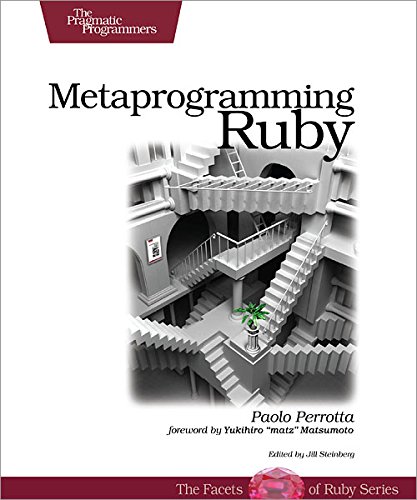

There are thousands of books that will take you from illiterate to novice in any programming language. But finding those that will take you from novice or intermediate to expert is hard. I remember reading Effective Java
Metaprogramming Ruby
There are thousands of books that will take you from illiterate to novice in any programming language. But finding those that will take you from novice or intermediate to expert is hard. I remember reading Effective Java
Metaprogramming Ruby
Recently I reported a bug for Formtastic. Justin French, the author of Formtastic, created a branch and made a fix. He then asked me for my feedback.
I look at the code and then decided to give it a try. In a pre-Bundler world that would have required this:
The tasks are not that big, but are very inconvenient to do and uncomfortable for a perfectionist like me. Thankfully I’m using Bundler, so the above was like this:
I really love Bundler.
It’s very common in Rails CRUD to have a create and update actions that redirect back to the show action. The idea is that you show an object, click edit, save, go back to showing said objects with your changes.
All is fine until you have an edit link somewhere else. Let’s say you have an edit link in the listing of the CRUD, when someone uses you have to go back to the listing, not the show.
Well, Ruby on Rails provides just the thing for that:
redirect_to :back
That will send you back wherever you came from. The problem with that is that it will raise an exception if there’s no HTTP_REFERER, so you’ll have to write something like this:
begin
  redirect_to :back
rescue ActionController::RedirectBackError
  redirect_to somewhere_else
end
Of course there’s a pattern, so almost all my projects, at one time or another end up with this snippet of code in the application controller:
def redirect_back_or_to(*args)
  redirect_to :back
rescue ActionController::RedirectBackError
  redirect_to *args
end
I really like how every method is an implicit begin, it really looks beautiful. Then you just do:
redirect_back_or_to somewhere_else
I’m surprised Rails didn’t come with something like that out of the box, or maybe I just missed.
As I’ve said in previous posts, I like being able to generate sample data for the projects I’m working on very quickly. It allows new developers to get up to speed fast, and new developers to move faster.
When I don’t have a sample data generation method, I’m always scare to try whether, for example, deleting a project deletes all the todos in a project tracking system. Simply because I’ll have to generate that project and all todos by hand. Many times I end up not testing those destructive actions as often as I should.
The other reason while having a stable set of sample data is that you start to know it: “Hey! the users Paul and John are supposed to be on the same team, why I am not seeing them together? Something is broken”. To help with that I also use data that we already know. If I have teams with members I would create one team with John, Paul, George and Ringo called Beatles and another with Freddie, Brian, Roger and John called Queen. If you see Paul next to Freddie, something is broken.
To generate the sample data I use factories; which I also use to test instead of fixtures. If you are not familiar with factories, please, stop reading and go to check factory girl. I don’t care if you never come back to this blog if you start using factories instead of fixtures. Factories is so much better! But that’s probably repeated a thousand times over the web, so I’m not going to go into details.
In lib/tasks/data.rake I end up creating:
namespace :db do
  desc "Generate sample data for developing"
  task :sample_data => :environment do
    destroy_data()

    puts "==  Data: generating sample data ".ljust(79, "=")

    beatles = Factory.create :team, :name => "The Beatles"
    Factory.create :user, :name => "John Lennon", :team => beatles
    Factory.create :user, :name => "Paul McCartney", :team => beatles
    Factory.create :user, :name => "George Harrison", :team => beatles
    Factory.create :user, :name => "Ringo Starr", :team => beatles

    queen = Factory.create :team, :name => "Queen"
    Factory.create :user, :name => "Freddie Mercury", :team => queen
    Factory.create :user, :name => "Brian May", :team => queen
    Factory.create :user, :name => "John Deacon", :team => queen
    Factory.create :user, :name => "Roger Taylor", :team => queen

    puts "==  Data: generating sample data (done) ".ljust(79, "=") + "\n\n"
  end
end
For the implementation of destroy_data look at Deleting all records in a Rails project.
The problem with doing that with factories is that it is too silent. I like knowing what’s going on and for new developers it’s good to get a glimpse of the data. All users have the same password so after rake db:sample_data finishes, a new developer already know what email and password to use to log in. If you want to make it even easier, you can print out the password doing sample data generation.
The password is of course defined in the user factory:
Factory.define :user do |user|
  user.email { Factory.next :email }
  user.password "testing"
  user.password_confirmation "testing"
end
To be able to make factories verbose I created VFactory (for Verbose Factory of course) that you use just like Factory, but it prints out everything. This is its code:
# Verbose factory.
module VFactory
  def self.create *args
    human_factory_name = args.first.to_s.gsub("_", " ")
    if args.size > 1
      human_arguments = args.second.map { |name, value| "#{name}=>#{value.is_a?(Array) ? value.join(", ") : value}" }.to_sentence
      puts "-- creating #{human_factory_name} with #{human_arguments}."
    else
      puts "-- creating #{human_factory_name}."
    end
    Factory.create(*args).tap do |obj|
      puts "   -> done: #{obj}"
    end
  end
end
The output of this is more or less like this:
==  Data: generating sample data ==============================================
-- creating team with name=>The Beatles.
   -> done: #
-- creating user with name=>John Lennon and team=>#.
   -> done: #
-- creating user with name=>Paul McCartney and team=>#.
   -> done: #
-- creating user with name=>George Harrison and team=>#.
   -> done: #
-- creating user with name=>Ringo Starr and team=>#.
   -> done: #
-- creating team with name=>Queen.
   -> done: #
-- creating user with with name=>Freddie Mercury.
   -> done: #
-- creating user with with name=>Brian May.
   -> done: #
-- creating user with name=>John Deacon.
   -> done: #
-- creating user with name=>Roger Taylor
   -> done: #
==  Data: generating sample data (done) =======================================
If you are wondering why my objects look so pretty when printed, that’s because I always define a to_s for all models that contain the id and other important data. In this case it would be:
def to_s
   ""
end
That’s very useful for debugging. I also try to always have a name method in my models that give me something that represents the object and that I can show to the users.
The next step in data awesomeness would be, with one command, being able to download and import all production data. This really helps reproducing and debugging reported issues; specially when those issues are related to destructive changes.
Update: this is now a gem.
During the initial phase of development of a Rails application I don’t use migrations as migrations but as table definitions. Until I deploy I feel free to modify the migration files as much as I want and I have one per table.
The downside of that is that the only way to apply the changes is to destroy all the tables and re-build them. I’ve explained how to do that in my post really resetting the database. The nice side effect of doing this is that you end up with a task that sets sample data to work with.
Being able to quickly set up sample data or download production data is very important. It helps new developers getting started with the project but it also allows you to play much more freely with the project, do destructive actions and then in a quick command have system reset to a known state. Once you have sample data you’ll probably become as addictive as I am to reseting.
But the truth is that 90% of the time you reset your data, you don’t need to nuke the database and re-create all records, you just need to delete all records and this is the code I use to do that:
def destroy_data
  puts "==  Data: Destroying all data ".ljust(79, "=")
  sql = ActiveRecord::Base.connection()

  sql.execute "SET autocommit=0"
  sql.begin_db_transaction

  if sql.adapter_name == "MySQL"
    sql.execute("/*!40014 SET @OLD_UNIQUE_CHECKS=@@UNIQUE_CHECKS, UNIQUE_CHECKS=0 */")
    sql.execute("/*!40014 SET @OLD_FOREIGN_KEY_CHECKS=@@FOREIGN_KEY_CHECKS, FOREIGN_KEY_CHECKS=0 */")
  end

  tables = sql.tables - ["schema_migrations"]

  tables.each do |table|
    puts "-- Deleting all for #{table}."
    # So far, disabling and enabling keys was not needed.
    #sql.execute("/*!40000 ALTER TABLE `#{table}` DISABLE KEYS */") if sql.adapter_name == "MySQL"
    record_count = sql.delete("DELETE FROM `#{table}`")
    #sql.execute("/*!40000 ALTER TABLE `#{table}` ENABLE KEYS */") if sql.adapter_name == "MySQL"
    puts "   -> done: #{record_count} reconds"
  end

  if sql.adapter_name == "MySQL"
    sql.execute("/*!40014 SET FOREIGN_KEY_CHECKS=@OLD_FOREIGN_KEY_CHECKS */")
    sql.execute("/*!40014 SET UNIQUE_CHECKS=@OLD_UNIQUE_CHECKS */")
  end

  sql.commit_db_transaction

  puts "==  Data: Destroying all data (done) ".ljust(79, "=") + "\n\n"
end
Note that I’m not deleting anything in the table schema_migration. The output is more or less like this:
==  Data: Destroying all data =================================================
-- Deleting all for blogs.
   -> done: 4 reconds
-- Deleting all for posts.
   -> done: 10 reconds
-- Deleting all for users.
   -> done: 11 reconds
==  Data: Destroying all data (done) ==========================================
I also have some nice code to generate sample data, but that is for another post.
If you are getting this error:
ActionView::Template::Error: undefined method `authenticate?' for nil:NilClass
in your call to Devise’s user_signed_in? or similar, you probably forgot to add this:
class ActionController::TestCase
  include Devise::TestHelpers
end
at the bottom of the test_helper.rb file. Not that that would ever happen to me…
In Ruby on Rails there’s a very easy way to create a select tag:
form.select("period", [["Month", 1], ["Year", 12]])
In my case I have the options in a hash, like:
periods = {
  1 => "Month",
  12 => "Year"
}
but when I did this:
form.select("period", periods)
I was surprised to find out that the keys of the hash are used as the content of the options, and the values as the keys, producing this code:
<select id="resource_period" name="resource[period]">
  <option value="Month">1</option>
  <option value="Year">12</option>
</select>
Definitely not what I wanted, so I wrote this method:
class ApplicationController < ActionController::Base
  helper_method :hash_for_select

  def hash_for_select(hash, sort_by = :value)
    sort_by = sort_by == :value ? 0 : 1
    options = hash.map { |k, v| [v, k] }.sort { |x, y| x[sort_by]  y[sort_by] }
  end
and now I can do
form.select("period", hash_for_select(periods))
if I want the options sorted by key value or
form.select("period", hash_for_select(periods, :key))
if I want them sorted by keys.
Devise create various forms, among them one for signing up and one for logging in of course. These are the forms as they are generated in Devise 1.0.8:
<h2>Sign up</h2>

<%= form_for(resource, as: resource_name, url: registration_path(resource_name)) do |f| %>
  <%= f.error_messages %>

  <div>
    <%= f.label :email %><br>
    <%= f.text_field :email %>
  </div>

  <div>
    <%= f.label :password %><br>
    <%= f.password_field :password %>
  </div>

  <div>
    <%= f.label :password_confirmation %><br>
    <%= f.password_field :password_confirmation %>
  </div>

  <div>
    <%= f.submit "Sign up" %>
  </div>
<% end %>

<%= render partial: "shared/devise_links" %>
and
<h2>Sign in</h2>

<%= form_for(resource, as: resource_name, url: session_path(resource_name)) do |f| %>
  <div>
    <%= f.label :email %><br>
    <%= f.text_field :email %>
  </div>

  <div>
    <%= f.label :password %><br>
    <%= f.password_field :password %>
  </div>

  <% if devise_mapping.rememberable? %>
    <div>
      <%= f.check_box :remember_me %>
      <%= f.label :remember_me %>
    </div>
  <% end %>

  <div>
    <%= f.submit "Sign in" %>
  </div>
<% end %>

<%= render partial: "shared/devise_links" %>
If you try to put them somewhere else you’ll run into some problem. There are some variables/methods those forms use that you’ll be lacking, specifically: resource_name, resource and for logging in also devise_mapping. I’ve recently tried to put them both in the homepage for an upcoming project of mine and this is how I’ve solved it:
module ContentHelper
  def resource_name
    :user
  end

  def resource
    @resource ||= User.new
  end

  def devise_mapping
    @devise_mapping ||= Devise.mappings[:user]
  end
endhttps://rails.lighthouseapp.com/projects/8994-ruby-on-rails/tickets/4809
Looking forward to many others.
When I start coding a Ruby on Rails project, I find myself modifying the migration files over and over. I know this is not the way they were intended to use, but to avoid upfront design, I only ad fields when I need them. If I respected the way migrations were intended I would end up with hundred of migrations the first day and I would waste half my day just creating migrations.
After a project is deployed or a second developer is working on it, I revert to the way migrations are intended and I create a new one every time there’s a change I need in the database.
As migrations are intended to run only once, if you modify them, they won’t get run; and if you force them to run them, they’ll fail, because the database already contains such a table. So I’ve found myself doing this quite often:
rake db:drop && rake db:create && rake db:migrate && rake db:seed && rake db:data
db:data is a task I created to generate some sample data. Good known data that I can use to test the site locally. I’m using Factory Girl to create it, which I also use for the tests so I can re-use as much data creating logic as possible. It’s very good to get to a known state of the project you are developing and to get other developers started right away. I really recommend everyone doing it.
The problem is that I also need to reset my test data, so I end up having this other command and it gets horrible:
RAILS_ENV=test rake db:drop && RAILS_ENV=test rake db:create && RAILS_ENV=test rake db:migrate && RAILS_ENV=test rake db:seed
Note: no db:data this time.
I’ve got tired of re-writing these commands or trying to find them in my bash history, so I decided to write a Ruby task that will do it for me and here it is in case you want to use it too:
namespace :db do
  desc "Crush and burn the database"
  task :hard_reset => :environment do
    File.delete("db/schema.rb")
    Rake::Task["db:drop"].execute
    Rake::Task["db:create"].execute
    Rake::Task["db:migrate"].execute
    Rake::Task["db:seed"].execute
    if !Rails.env.test?
      Rake::Task["db:data"].execute
    end
  end

  desc "Generate sample data for developing"
  task :data => :environment do
    # Create the sample data in here
  end
end
Enjoy!
Update: To delete all records without resetting the whole database, check my post Deleting all records in a Rails project.
